


What is Dynadot, and is it a web host?
Dynadot is an ICANN-accredited domain registrar with domain management, an aftermarket, a website builder and email products. Its main job is helping you register and maintain a web address. A domain is the address; hosting or a website platform supplies the site people see at that address.
You can register a domain with Dynadot and use a separate host. You can also use its own builder for a simpler setup. These options solve different problems: buying a domain does not automatically give you a WordPress installation, a database server or a managed application stack.
Who manages the name→DNS settings
Where it points→Website & email
What visitors use
That separation can be useful when switching hosts later. Keep the name in the same registrar account while changing the destination. Our web hosting comparison covers the application-hosting decision; this review focuses on the registrar and the tools offered alongside it.
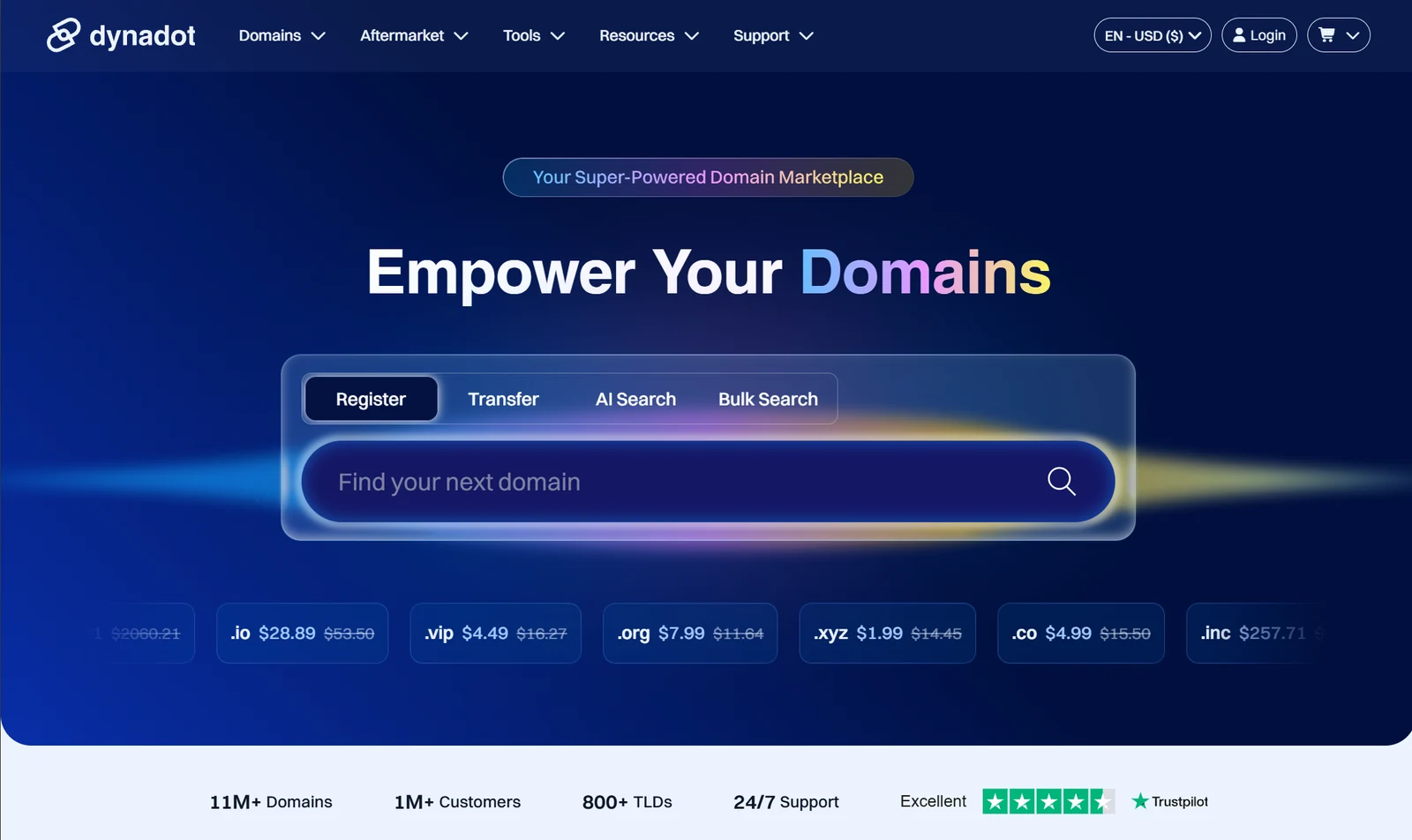
Dynadot pros and cons: who is it best for?
Reasons to shortlist it
- A public table puts registration, renewal and transfer rates side by side.
- You can use an external web host while keeping domain management in one place.
- Eligible domains include privacy without a separate privacy charge.
- Bulk search and portfolio workflows can be useful as your domain list grows.
- A basic builder provides a low-commitment way to publish a small site.
Trade-offs to understand
- Low first-year rates can hide a much larger renewal budget.
- Premium names and aftermarket purchases require their own price checks.
- The free builder is limited to one page; advanced requirements need closer evaluation.
- Free email has storage and daily sending limits.
- DNSSEC needs a compatible external nameserver setup under the documented approach.
Best fit: a business owner who wants control of their domain, a buyer comparing renewal costs, or someone managing several names. Less convincing fit: a buyer expecting a complete managed WordPress service or a large business-software suite merely because email and a builder appear in the bundle.
For an established company, account ownership may matter more than a few dollars of promotional savings. Register the name in the company’s controlled account, document who can renew it, and keep recovery access available when a contractor leaves.
Dynadot domain prices: registration vs renewal vs transfer
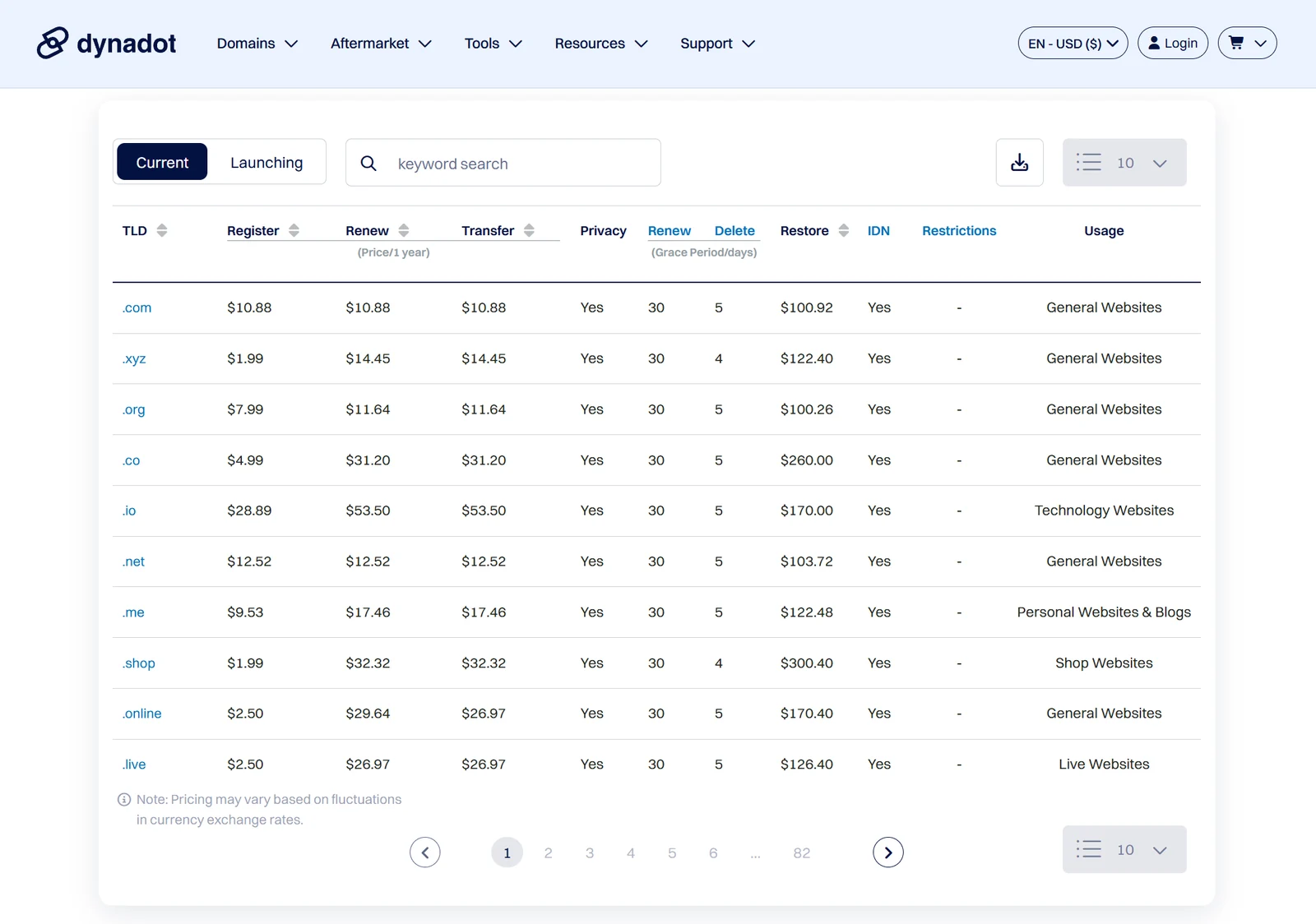
The following regular-account USD prices were observed on September 30, 2026. They apply to standard names in the listed extensions, not to every possible name. A registry-premium name or an existing owner’s asking price can be very different. Source: Dynadot’s live TLD price table.
| Extension | Register: first year | Renew: one year | Transfer | 3-year estimate |
|---|---|---|---|---|
| .com | $10.88 | $10.88 | $10.88 | $32.64 |
| .xyz | $1.99 | $14.45 | $14.45 | $30.89 |
| .org | $7.99 | $11.64 | $11.64 | $31.27 |
| .co | $4.99 | $31.20 | $31.20 | $67.39 |
| .io | $28.89 | $53.50 | $53.50 | $135.89 |
| .net | $12.52 | $12.52 | $12.52 | $37.56 |
| .me | $9.53 | $17.46 | $17.46 | $44.45 |
| .shop | $1.99 | $32.32 | $32.32 | $66.63 |
| .online | $2.50 | $29.64 | $26.97 | $61.78 |
| .live | $2.50 | $26.97 | $26.97 | $56.44 |
Three-year estimate = one registration year + two renewals at the currently listed rate. It is our calculation, not a prepaid three-year quote. Taxes, premium charges, optional products and future price changes are excluded. A transfer can extend a domain term, subject to extension-specific rules.
The most useful comparison is often the renewal column. In this snapshot, .shop and .xyz both start at $1.99, but their three-year estimates are $66.63 and $30.89. A standard .com is $32.64 across the same period. The cheapest first payment therefore does not identify the cheapest name to keep.
That does not mean a less expensive extension is automatically the right brand. Consider spelling, audience expectations and how the name sounds when spoken. Saving a small amount is less useful if customers repeatedly type a different address.
View the supplied USD pricing screenshot
Calculate the cost of keeping a Dynadot domain
Use this calculator to compare one, three or five years of ownership. It assumes the introductory registration rate is charged once and the current renewal rate stays constant afterward. It does not check availability or reserve a name.
For a small portfolio, multiply the renewal bill before registering more variations. Ten standard .com domains at this snapshot need $108.80 for each renewal year. Ten names that individually feel inexpensive can become an overlooked recurring expense.
Keep experimental projects separate from business-critical domains in your own inventory. Record the owner, purpose, registrar, renewal date and expected ongoing cost. Review experiments before their renewal window while protecting the names attached to active websites and email.
Domain privacy and account security
Dynadot’s security documentation lists free privacy for eligible extensions, account locking, authenticator support, hardware security keys and transfer locks. Privacy concerns public registration contact visibility; it does not hide ownership from the registrar or create complete anonymity.
Check whether your extension permits privacy and whether your setting is full or partial. Continue to supply accurate registration information and monitor the associated email address. Privacy does not replace control of the account.
For everyday use, enable a strong second factor, keep recovery information secure and leave domains locked when you are not moving them. Avoid giving a developer your main registrar password merely to update a website.
The separately priced Registry Lock option adds registry-level approval controls for supported extensions. It can be relevant to a high-value business name, but adds administrative steps. Review its current cost and change process before enabling it; ordinary account security and Registry Lock are different layers.
Practical check: identify who could recover the account if your primary administrator lost access today. Keep that process documented somewhere that does not depend entirely on the domain you are trying to recover.
Connecting Dynadot to another host: DNS and DNSSEC
You do not need to transfer a domain simply to point it at a different website. Choose whether the authoritative DNS zone will live with Dynadot or with another provider. Edit records at the provider whose nameservers are actually active, rather than maintaining two conflicting sets of records.
Dynadot’s DNS instructions cover common records such as A, AAAA, CNAME, MX and TXT. Use the exact values supplied by your web host and email provider. Website records and mail records serve different purposes; changing the website destination should not require blindly deleting the mail configuration.
DNSSEC has an important limitation
The current DNSSEC help article requires third-party nameservers first. It says Dynadot’s nameservers for forwarding, parking, custom DNS and email are not configured for DNSSEC. Registrar support for DNSSEC records is therefore not the same thing as signed DNS on Dynadot’s own DNS service.
If you use DNSSEC, coordinate the signing configuration and parent-zone records with your DNS provider when migrating. A stale or mismatched configuration can prevent validating resolvers from reaching the domain. Do not copy values from an unrelated domain as a shortcut.
Before changing nameservers, save a record of the working website and email settings. Afterward, check the root domain, www version and email delivery. For a larger move, work through our website migration checklist alongside the registrar’s instructions.
How to register your first domain without avoidable mistakes
Prepare the name before you open the checkout. A registrar can show availability, but it cannot decide whether the wording is clear for your customers or whether you have resolved a potential branding conflict.
- Write down the exact spelling. Test it aloud and check for confusing numbers, repeated letters and unwanted alternate readings.
- Choose the account owner. Use an account controlled by the person or business that should retain the domain.
- Search the name and extension. Distinguish an available standard registration from a premium or resale listing.
- Review the ongoing cost. Save the registration, renewal and any optional-product prices, not just the checkout headline.
- Check privacy and contact details. Use accurate information and an email address you can reliably access.
- Verify the order. Look at the name character by character, registration term, currency and complete total.
- Secure the account and record renewal details. Keep the receipt and confirm the domain appears in your account.
- Connect your website deliberately. Choose the builder or the external host, then follow the appropriate DNS instructions.
Our recommendation is to keep an independent renewal reminder even if you enable automatic renewal. A changed card, inaccessible inbox or forgotten account can turn an inexpensive asset into a costly recovery problem.
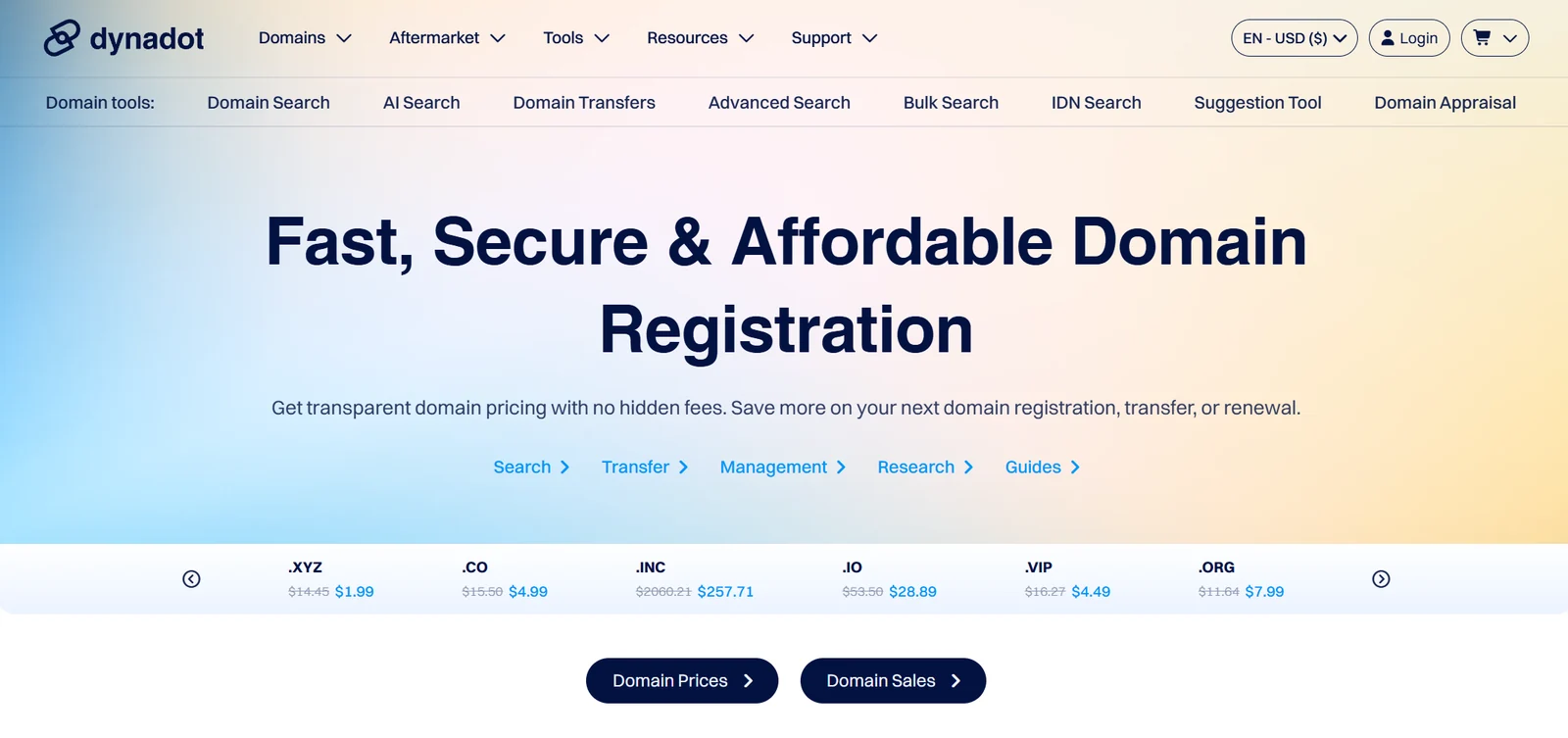
How to transfer a domain to Dynadot
A registrar transfer changes who manages the domain registration. It does not copy website files, databases or email messages. If your aim is only to change hosting, you may need a DNS update rather than a registrar transfer.
ICANN’s transfer guidance explains common restrictions, including locks after initial registration, recent transfers or certain registrant changes. A contact-information change can trigger a 60-day lock; ask about applicable rules and any permitted opt-out before making changes solely to prepare a move.
- Check eligibility and timing. Confirm the domain is transferable and not too close to expiration. Dynadot recommends starting at least two weeks early.
- Preserve DNS and email. Confirm whether the old provider will continue serving DNS after the transfer; prepare a replacement if necessary.
- Unlock the domain at the current registrar. Obtain its authorization or EPP code where the extension uses one. Keep the code private.
- Start the transfer at Dynadot. Check the name, transfer price and any term-extension exceptions before paying.
- Complete required approvals. Monitor the transfer status and messages from both registrars.
- Check the result. Verify the new expiry date, nameservers, website, email, privacy and renewal settings; relock the domain.
Dynadot’s transfer page says most transfers include an additional registration year, with TLD exceptions. Do not read “minutes to start” as a guaranteed completion time. Use the status shown for your domain and get help if it stalls.
Renewals, expiration and restoration costs
Renewal deserves its own workflow because a domain often supports both a website and essential email. Set reminders before the expiry date, keep payment details current and make sure renewal notices reach a monitored inbox.
Dynadot’s renewal grace-period guide describes a 30-day window for .com, but explicitly warns that extensions differ. Some have shorter windows or no comparable grace or redemption period. Treat the expiry date as the deadline to meet, not the beginning of free extra time.
If a domain expires, check its actual status and contact support promptly. Restoration can be much more expensive than an ordinary renewal, and some stages may involve an auction or make recovery unavailable. Do not promise customers that a lapsed name can always be recovered.
For an agency, include domain ownership and renewal responsibility in the handover. A useful inventory should show which names support an active website, email, redirects or defensive brand protection. Cancel a name only after checking those dependencies.
Can you get a refund for a Dynadot domain?
Do not buy a domain assuming there is a general money-back trial. The domain refund help page describes possible grace deletion for eligible recent registrations, with account credit reduced by a deletion fee. Credit is the initial outcome, not an automatic cash refund.
The current grace-deletion page adds an important distinction: after successful deletion, you can contact support promptly to request reversal of that credit to the original payment method; it states refunds can be issued within 60 days of payment. Do not confuse that refund-processing window with the much shorter deadline for requesting deletion.
For example, the live deletion table listed .com at 118 hours with a $3 fee. Registry limits and waitlists can prevent completion, and other extensions differ. An older help example also conflicts with the current .co table. Confirm your exact domain’s eligibility promptly instead of treating a generic “five days” statement as universal.
The simplest prevention is a final spelling and term check before payment. Keep the confirmation email and invoice so support can identify the transaction if something goes wrong.
Dynadot Website Builder: Free vs Pro
The current builder page lists Free at $0 and Pro at $30 per year, with the domain paid separately. The comparison below covers the main buying differences, not every editor feature.
| Feature | Free | Pro |
|---|---|---|
| Pages | One | Unlimited |
| Storage | 500 MB | Unlimited, as advertised |
| Dynadot footer message | Required | Removed |
| Blog / Google Analytics | Upgrade required | Available |
| Online store | Upgrade required | E-commerce tools; unlimited products listed |
| Builder price | $0 | $30/year |
| Domain registration | Separate cost | Separate cost |
Pro advertises no platform transaction fee. That does not mean payment processing is free; confirm your payment provider’s charges. The builder includes hosting for builder-created sites, so a separate hosting purchase is not needed for that route.
Our take: a one-page option is sensible for contact details, a short portfolio or a temporary business presence. Before choosing Pro for a store, map out your actual product variants, checkout, shipping, tax and fulfillment workflow. A feature label is less informative than successfully completing your hardest required task.
A standard .com plus one full year of Pro totals $40.88 using the reviewed prices. This is a planning calculation, not a guaranteed bundle price. A large content site may need a different publishing workflow even when the page count is technically unlimited.
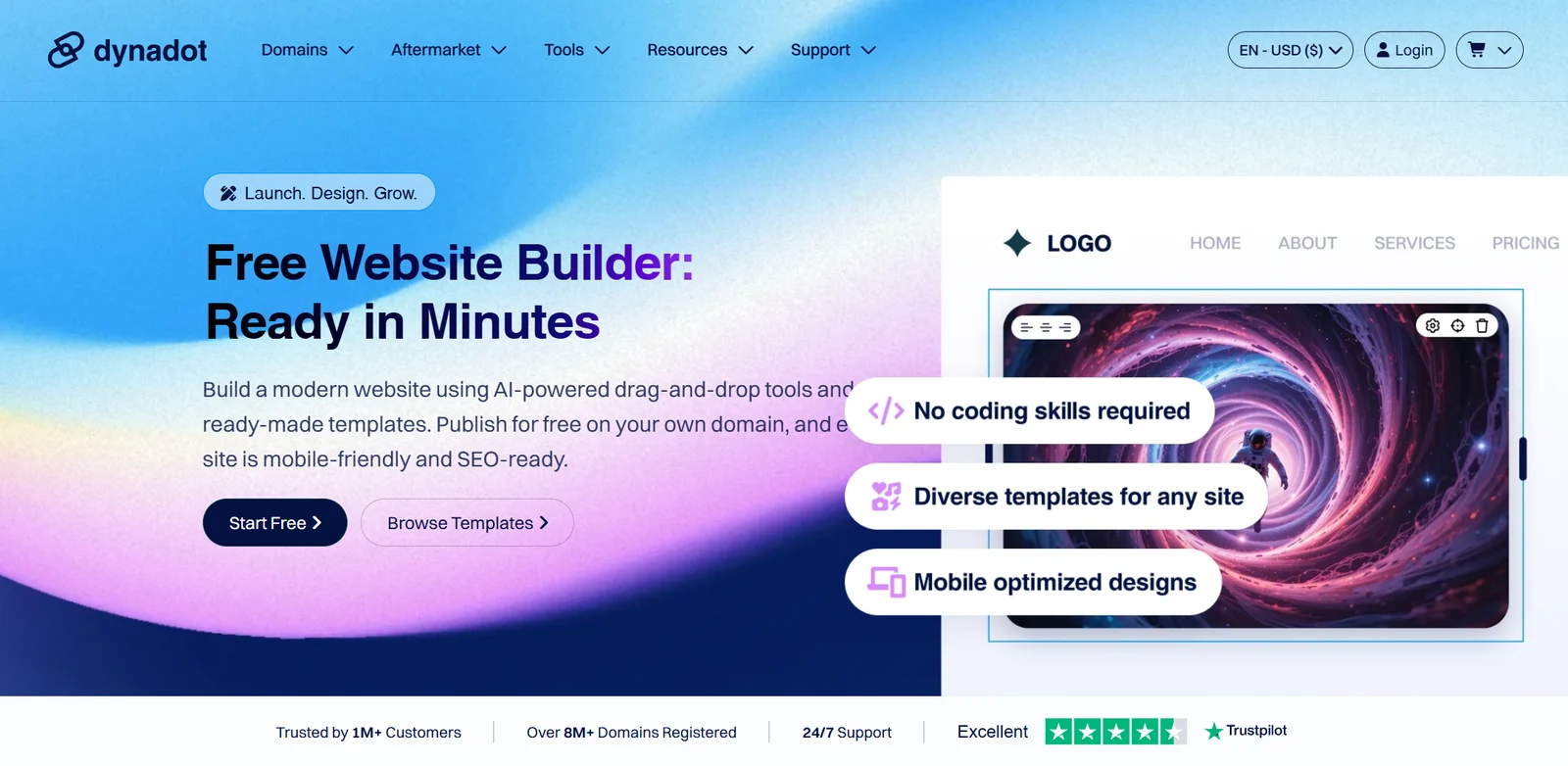
Setting up the builder without replacing a live site accidentally
The current setup guide uses DynaSites → Site Builder → Add New Website. Select a domain in your Dynadot account, choose a plan, edit the site and publish when ready. The documented requirements include one builder per domain and no transfer of that builder to another domain.
Check the DNS option before you begin
The setup guide says the option to update domain DNS for the builder is selected by default. If the domain already serves a working site, decide when you want to switch it before accepting that setting.
The same guide says Pro upgrades are prorated against the remaining domain registration period. Read the amount and coverage dates displayed in your account instead of assuming the first upgrade invoice always equals a full year.
If publishing fails, the official troubleshooting guide points to domain connection, DNS propagation and automatic SSL issuance. Test the public HTTPS URL once the site is ready. Avoid repeatedly changing DNS while waiting, because that makes it harder to identify the actual problem.
For a first launch, check the mobile layout, contact method, navigation and a submitted test inquiry before sending visitors to the site. Remove template text that does not describe your business.
Can you export a Dynadot website or import WordPress?
Yes, the export/import help article updated September 21, 2026 documents full-site ZIP export and static HTML export. It also describes importing a WordPress XML export or restoring a Dynasites ZIP, with a 200 MB import limit. The generated download link lasts seven days.
This is useful portability evidence, but we have not performed an export or import. A static export is not proof that checkout, forms, user accounts or other server-dependent functions will keep working on a different host. A WordPress content import is also not a promise to recreate every plugin and theme feature.
Test the exit before you commit: build a small representative site, export it, and check the pages and interactions in the intended destination. Keep local copies of essential content and media. For a broader decision, read website builder vs WordPress.
Dynadot email: useful starter mailbox, clear limits
The email plan page lists one free address, 1 GB of storage and 25 sent emails per day. Email Pro is a separate $30/year product, with up to 25 mailboxes, 3 GB listed storage and 500 daily sends. Confirm how storage and sending allowances apply to your intended setup; do not assume the storage figure is per mailbox.
Use the published plan limits rather than a broad “unlimited addresses” phrase elsewhere on the same page. The free option can suit light correspondence, but a support team or a growing company should evaluate storage, access, backups and delivery carefully. This review does not measure deliverability.
Website Builder Pro and Email Pro are separate upgrades. At the reviewed rates, a standard .com plus both full-year products is a $70.88 annual planning example. Adding a free website does not automatically upgrade the mailbox.
Before moving business email, test sending and receiving, preserve your old messages and follow the service’s authentication-record instructions. Do not delete the old mail service until you have verified the new arrangement. For a wider budget, use our small-business website cost guide.
Portfolio management, bulk benefits and the API
Dynadot’s domain tools include bulk and advanced search alongside management features. For a portfolio, the practical gain is fewer repetitive steps and a more organized renewal process. It is not a reason to register names without a clear purpose.
One pricing detail is easy to miss: the single-tier pricing announcement says regular, Bulk and Superbulk accounts share the same domain pricing model. Higher spending levels offer other benefits. Do not assume a large deposit automatically produces a lower standard registration rate than the public table.
The API documentation provides management commands and sandbox examples. That can help developers automate repetitive domain tasks. Use a test environment first, limit credential exposure and verify a small batch before applying changes broadly.
A practical agency inventory should connect each domain to its client, renewal owner and current DNS destination. Review access when a team member leaves. Automation is most useful when the underlying inventory is accurate; a fast bulk action on the wrong list is simply a faster mistake.
Dynadot marketplace, expired auctions and backorders
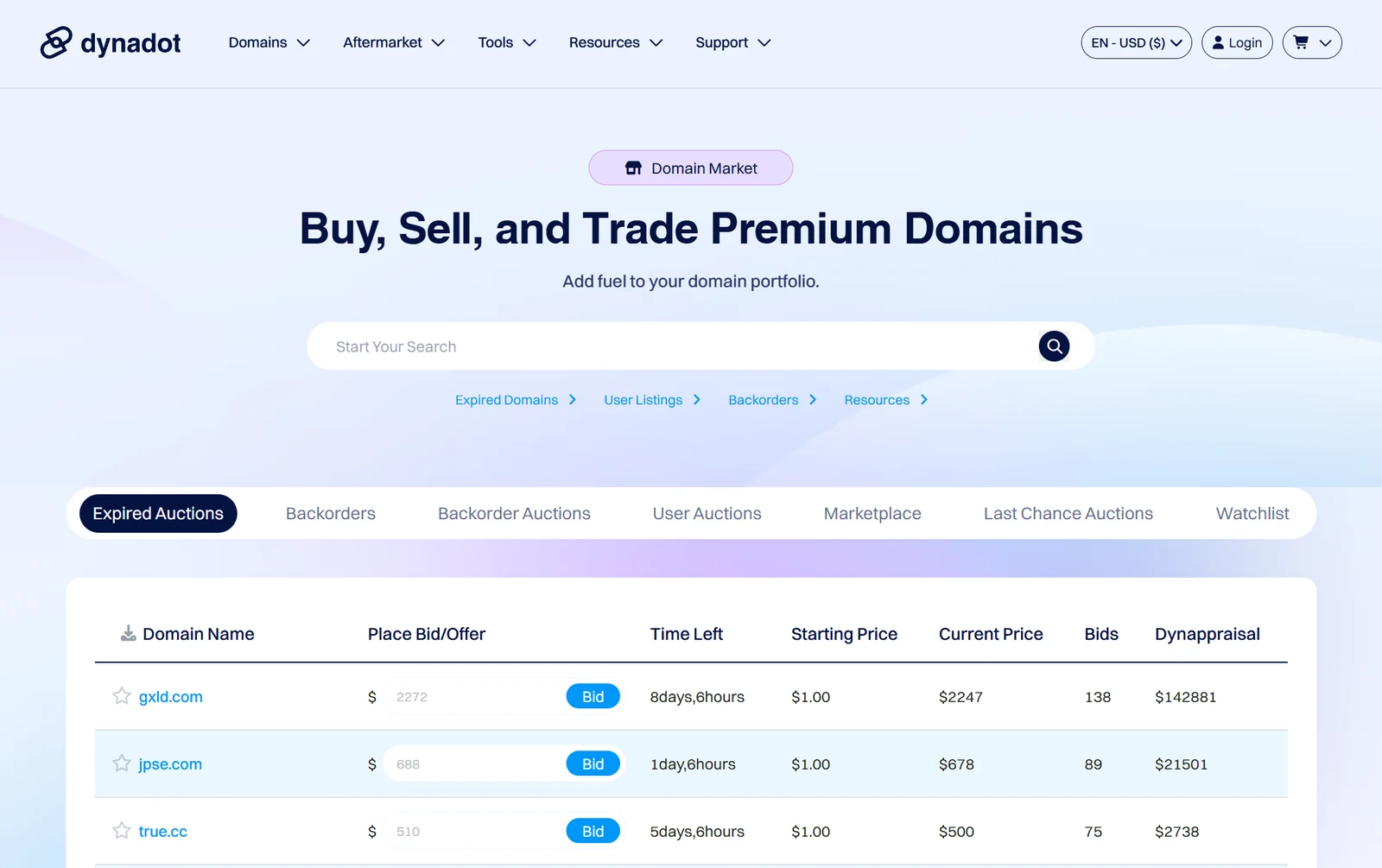
The aftermarket brings together several buying routes, including user listings, expired auctions and backorders. An available new registration and an existing domain for sale are different transactions. Check the actual listing type, payment obligations and delivery conditions before bidding or buying.
For sellers using the standard for-sale listing route, the listing help page states a 10% marketplace commission and no listing fee at the time checked. Proceeds initially enter a sales balance, with payout or account-credit options. Other transaction routes can have different terms, so do not apply that rate to every service.
For buyers, inspect the name’s history, potential branding conflicts and ongoing renewal cost. An estimated appraisal is not an offer from a buyer, and a high valuation shown on a page does not establish resale demand. Treat an expired domain’s previous links or traffic claims as items to investigate, not guaranteed value.
Set a maximum acquisition budget before an auction starts and include the cost of maintaining the name afterward. If your aim is to launch a business soon, compare the time and uncertainty of acquiring a specific aftermarket name with choosing an available alternative.
Dynadot alternatives: compare the right type of service
A registrar comparison and a website-platform comparison should answer different questions. Start with the job you need done, then compare the complete cost and responsibilities.
| Your priority | Compare these routes | What to verify |
|---|---|---|
| Register a domain and keep a separate host | Dynadot and another registrar such as Namecheap | Exact-name renewal, privacy eligibility, account controls and transfer rules. |
| Build a WordPress site | A domain registrar plus a WordPress-capable host | Backups, restoration, updates, performance and total renewal costs. |
| Design a WordPress site visually | Elementor within the appropriate WordPress setup | Product license, hosting inclusion and maintenance responsibilities. |
| Publish a small brochure site | Dynadot Free/Pro versus another site builder | Required pages, forms, branding, editing workflow and export behavior. |
| Buy an existing name | Dynadot aftermarket versus an available new name | Acquisition risk, history, transaction terms and ongoing fees. |
Our Namecheap review and Elementor review cover those providers’ wider product choices. For hosting, compare Hostinger, SiteGround and the other options in our hosting shortlist. Those links provide context; they do not turn a domain registrar into a substitute for application hosting.
When comparing prices elsewhere, use the same extension, renewal period and optional features. We have not established that Dynadot is universally the cheapest registrar for every domain, promotion or account.
Support: what we verified and what to ask
Dynadot advertises round-the-clock support and publishes a substantial help center. We reviewed documentation; we did not open a support case or measure response quality. Availability alone does not establish how quickly a complicated transfer or billing issue will be resolved.
Before moving a critical domain, ask questions that have a specific answer: Can this exact extension use the privacy setup I need? What happens to DNS during transfer? What is the current restoration process? Which email allowance applies to my planned users? If using the builder, can the required form or store workflow be exported successfully?
Keep a record of the answer and the account or product it concerns. For troubleshooting, supply the domain, relevant timestamps and the exact error, while keeping passwords, authorization codes and recovery secrets private.
Our verdict: is Dynadot worth it?
Dynadot is worth shortlisting when you want a domain-focused service with visible renewal prices and the flexibility to choose your own hosting. Its included tools make a small launch more approachable, while management and aftermarket options give more experienced owners room to work.
The buying decision should start with the exact name and the long-term bill. Then check privacy eligibility, security, DNS requirements and any dependence on the builder or email. The free products are useful starting points, but their limits should be part of the decision from day one.
For a first business domain, our preferred approach is straightforward: pick a name you can keep, secure the account, document the renewal and connect only the services you actually need. For an existing portfolio, test the process on a non-critical name before moving everything.
Frequently asked questions
Is Dynadot legitimate?
Dynadot is an ICANN-accredited registrar offering domain registration and related tools. That establishes its role, not a guarantee that every domain or feature fits your needs. This review evaluates public documentation and pricing rather than measured service performance.
How much is a .com domain at Dynadot?
The regular-account USD table checked September 30, 2026 listed $10.88 each for standard .com registration, one-year renewal and transfer. Premium names, promotions and future prices can differ.
Does Dynadot increase prices on renewal?
It depends on the extension and offer. The reviewed .com rate was the same for registration and renewal, while .shop was $1.99 initially and $32.32 to renew. Check the renewal column for your exact name.
Is domain privacy free with Dynadot?
Privacy is included for eligible extensions. Availability and visibility depend on registry rules and your privacy settings; it does not make ownership anonymous to the registrar.
Can I use Dynadot with another hosting company?
Yes. Keep domain registration at Dynadot and configure the appropriate nameservers or DNS records for your host. Preserve email records when changing website settings.
Does a transfer move my website and email?
No. A registrar transfer moves the domain registration relationship. Website files, databases, mailboxes and DNS continuity need their own migration checks.
Does Dynadot support DNSSEC?
Its current help guide documents DNSSEC using third-party nameservers. It states that its own nameservers for forwarding, parking, custom DNS and email are not configured for DNSSEC.
Is the Dynadot website builder really free?
The Free plan includes one page, with a required Dynadot footer message. You still need a domain in your Dynadot account. Check the plan comparison for features that require Pro.
Can I move a Dynadot builder website elsewhere?
The current documentation describes full-site and static HTML exports. Test the exported result before relying on it; dynamic features may need replacement services. We have not performed an export.
Can I get my money back if I misspell a domain?
Eligible recent registrations may qualify for grace deletion with account credit minus a fee. The current deletion page also describes requesting a refund of that credit through support within 60 days of payment. Deletion deadlines are much shorter and eligibility is not guaranteed.
Does a cheap first-year domain stay that price?
Not necessarily. Promotional registration prices and renewal prices are separate. Use the calculator as a dated planning estimate and check future renewal notices.
Do you have a Dynadot coupon?
No exclusive coupon has been verified for this review. Our affiliate link takes you to Dynadot’s current offer; checkout eligibility and terms determine the price.
Sources & editorial notes
The regular-account USD price table and official product documentation were checked September 30, 2026. Prices in this review are a dated snapshot for standard, non-premium domains. Promotions, future renewals, taxes and any checkout-specific charges can change. Confirm the total for your exact domain before paying.
- Dynadot: registration and product overview
- Dynadot: regular-account domain price table
- Dynadot: domain search and management tools
- Dynadot: privacy, account security and Registry Lock
- Dynadot: configuring DNS records
- Dynadot: DNSSEC requirements and nameserver limitations
- Dynadot: transfer process and extension exceptions
- ICANN: domain transfer eligibility and locks
- Dynadot: expiration and renewal grace periods
- Dynadot: domain refunds and account credit
- Dynadot: TLD-specific deletion windows and fees
- Dynadot: Free and Pro website builder plans
- Dynadot: builder setup and domain requirements
- Dynadot: publishing, DNS and SSL troubleshooting
- Dynadot: full-site and static HTML export; WordPress import
- Dynadot: email prices, storage and sending limits
- Dynadot: aftermarket formats
- Dynadot: marketplace listing and commission terms
- Dynadot: single-tier domain pricing and account benefits
- Dynadot: API commands and sandbox examples
This is a research-based review using official documentation and the public USD price table. We did not buy a domain, complete a transfer, test support response times or benchmark DNS, email delivery or website uptime. The supplied logo and five screenshots depict Dynadot’s website; they are not evidence of hands-on performance testing. Cost comparisons and buying recommendations are our analysis. Read our methodology. Report a correction.

About the author
Pavel Stich
Pavel is a co-founder of HostingRanker with a focus on SEO and copywriting for the technology and financial sectors. His interest in early-stage businesses informs his practical approach to software: understand the problem, examine the trade-offs and choose tools that support a sustainable business.