

Our verdict and overall rating
Our verdict on Surfshark
A strong candidate for a household needing many simultaneous VPN connections. Starter covers the core need; One is worth comparing when its five-device Antivirus allowance and monitoring tools solve a real problem. Budget for annual renewal and check the exact app variant before buying a bundle.
Research-based editorial opinion. Five equally weighted criteria; no measured speed, uptime or support results and no customer-rating aggregate.
Surfshark at a glance
| At a glance | Verified information |
|---|---|
| Product reviewed | Consumer VPN and Starter / One / One+ bundles |
| First payment | $67.23 Starter; $75.33 One; $121.23 One+ for 27 months, before tax |
| Later billing | The long introductory plans renew annually, not for another 27 months |
| VPN device allowance | Unlimited simultaneous compatible connections, subject to account terms |
| Antivirus allowance | Five Windows, macOS or Android devices with One / One+; not iOS or Linux |
| App-specific limits | iOS Bypasser excludes websites only; Dausos and Antivirus use different Mac app variants |
| Privacy evidence | Provider-announced 2025 Deloitte no-logs assurance; current privacy policy describes temporary connection data |
| Our evidence | Public-source research and original price captures; supplied product images are illustrations |
Plans, prices and renewal costs
Price snapshot: September 8, 2026. Starter / One / One+ · USD · 27-month introductory subscriptions · before tax. These are the selected offers, not every available billing option. Optional extras are excluded. Check the final tax treatment and order total before payment.
| Plan / term | Intro rate | First payment | Renewal | Key inclusions |
|---|---|---|---|---|
| Starter · 24 months + 3 extra | $2.49/mo | $67.23 27 months | $79.00 per year; standard rate may change | VPN and Alternative ID; unlimited simultaneous VPN connections |
| One · 24 months + 3 extra | $2.79/mo | $75.33 27 months | $99.00 per year; standard rate may change | Starter plus Antivirus (5 devices), Alert and Search; platform limits apply |
| One+ · 24 months + 3 extra | $4.49/mo | $121.23 27 months | $119.00 per year; standard rate may change | One plus Incogni and eligible US identity-theft coverage; exclusions apply |
What the numbers mean for your budget
Starter costs $67.23 for the first 27 months. Staying for 36 months needs one full $79 renewal: $146.23 cash, covering 39 months. The cost allocated to 36 months is $126.48; unused prepaid time is not a promised refund. One requires $174.33 cash and One+ $240.23 under the same scenario. A 12-month-plus-3 Starter offer costs $50.85 upfront and would require $208.85 cash to reach month 36 at the captured annual renewal. Taxes and add-ons are extra.
Monthly equivalents are rounded. A prepaid offer is not a month-to-month contract; first-term extras do not necessarily recur.
A budget you can compare
| Plan and market | First bill / service | Renewal | Included / check |
|---|---|---|---|
| Surfshark Starter · 24 months + 3 extra US / USD public offer · checked 2026-09-08 | $67.23 for 27 months Includes 3 bonus months | $79.00 / 12 months | VPN and Alternative ID; unlimited simultaneous VPN connections Official offer source |
| Offer | 12 months: allocated / cash | 24 months: allocated / cash | 36 months: allocated / cash |
|---|---|---|---|
| Surfshark Starter · 24 months + 3 extra USD · 27-month first term | $29.88 / $67.23 15 service months remain after the horizon | $59.76 / $67.23 3 service months remain after the horizon | $126.48 / $146.23 3 service months remain after the horizon |
We allocate the first payment across all months it covers, including any bonus months. Cash includes whole billing periods needed to reach the chosen horizon. Renewal rates are held constant for this illustration; they are not guaranteed future quotes. Unknown bills remain unverified. Domains, optional services and taxes are excluded unless explicitly added. Read the calculation method.
Adjust this offer and compare alternatives. The market, currency and verification date are labeled on each table. The screenshot below records the corresponding published offer.
Server locations and what they mean
| Region | Published locations | Scope |
|---|---|---|
| United States | New York, Boston, Chicago and other listed cities | Examples from the country directory; inspect the actual city and feature |
| Europe | United Kingdom, Germany, Netherlands and other destinations | Destination choice is different from the location of the contracting company |
| Asia / Pacific | Singapore, Japan, Australia and other destinations | Check latency and whether your intended location is virtual |
| Network scale | 4,500+ servers in 100 countries advertised | Provider specification, not our capacity or performance measurement |
A long country list is useful when your destination is actually present. Some VPN locations are virtual: the IP location can differ from where hardware sits. Check the current directory and app labels. Server-port capacity is shared infrastructure, not a promised speed for your connection.
Check the official location information before selecting a server.
A closer look at the official offer
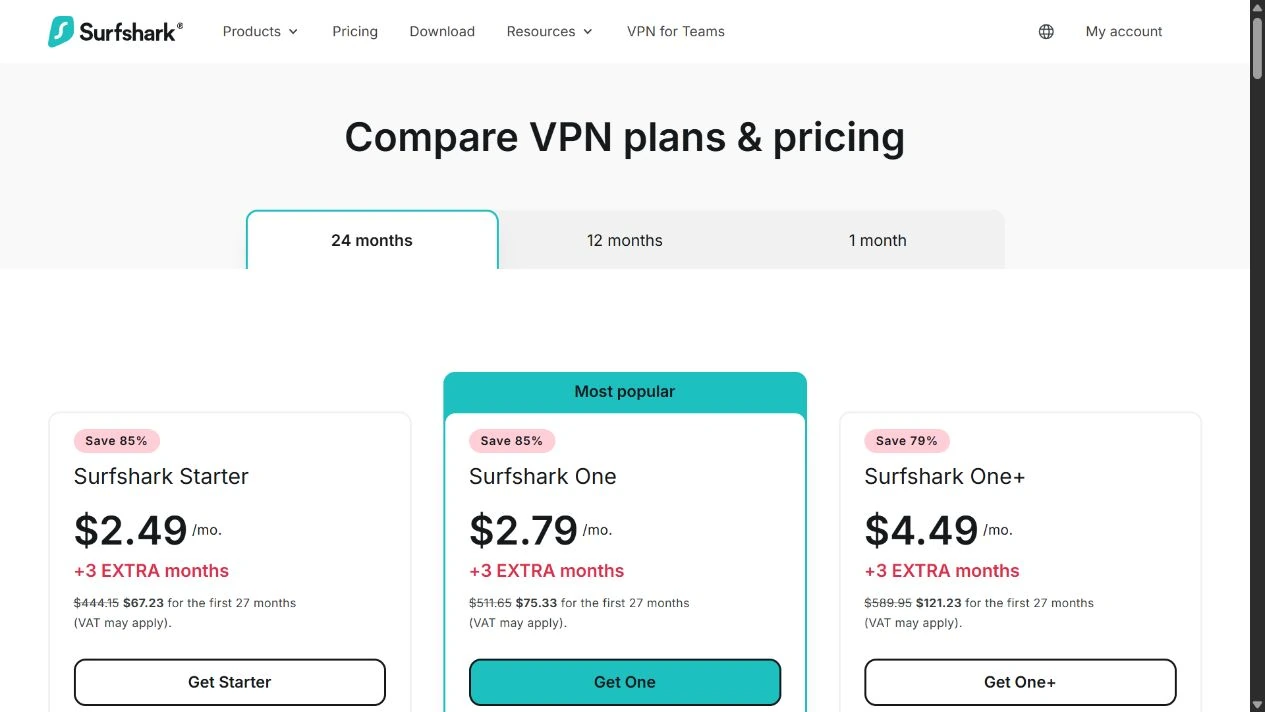
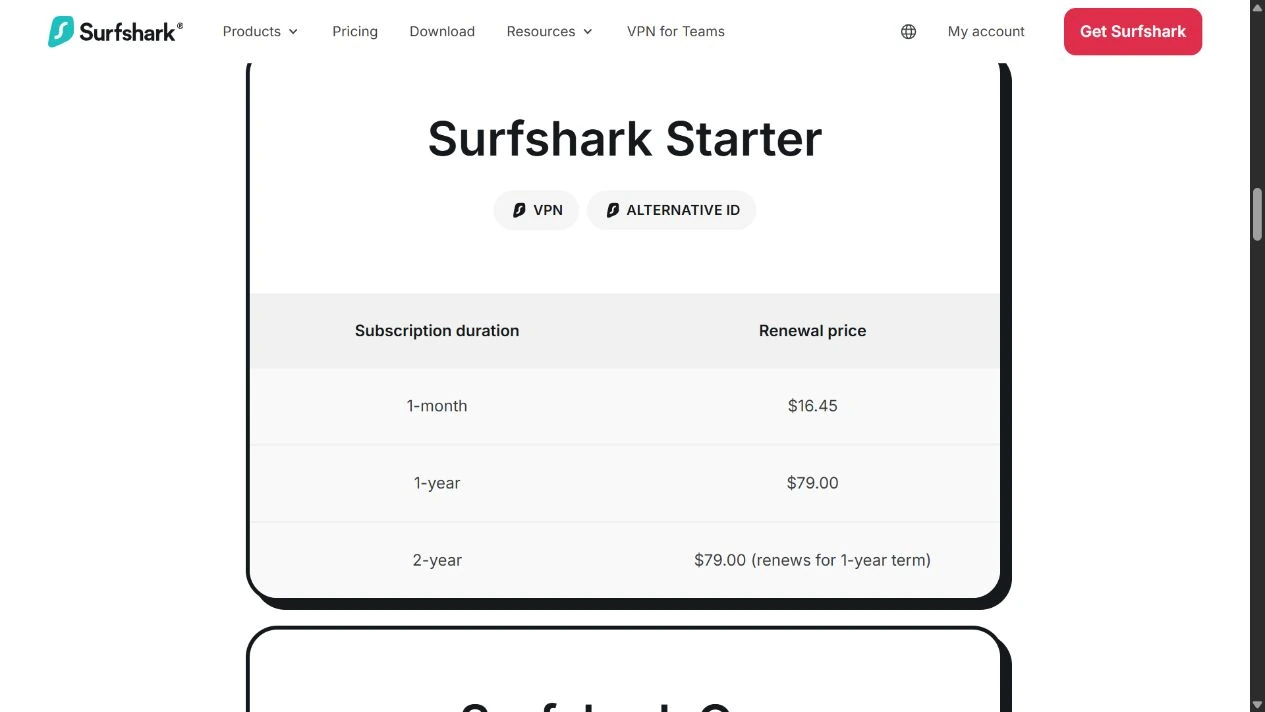
The image records a public page, not a paid customer dashboard or a test result. It may show a region-specific promotion that changes after the capture date. Our tables keep the important figures readable on a phone; use the full-size image to inspect the original context.
The reasons to choose Surfshark, and the compromises
Reasons to consider it
- Unlimited simultaneous VPN connections help households with more than ten active devices.
- Starter provides a route to the VPN without buying the full security bundle.
- Windows, Mac, mobile and TV options cover several common setups, with manual router support.
- Published renewal prices and platform guides make important purchase conditions visible.
Trade-offs to account for
- The low monthly headline requires prepayment; the promotional rate does not continue indefinitely.
- Antivirus is limited to five supported devices and is not an iPhone antivirus app.
- iOS Bypasser excludes websites, rather than letting you select individual apps.
- There is no port forwarding, and the two Mac app distributions offer different features.
- We have not measured paid-account speed, leaks, streaming access or support quality.
Our strongest case for Surfshark is a household whose active-device count rules out a smaller allowance. For one laptop and one phone, unlimited connections may add little value. Compare the required features and the full bill before choosing on capacity alone.
Starter, One or One+: start with the problem you need to solve
Choose Starter for the VPN and basic alias tools. It is the sensible baseline when you already have a security setup you trust or mainly need a VPN across a larger collection of devices. Do not buy a more expensive bundle expecting its name alone to deliver a faster VPN connection.
Consider One when you will use its supported-device antivirus and monitoring tools. Before upgrading, count the devices that can actually run Antivirus, check existing security software and decide who will respond to alerts. Paying for a second overlapping product can add subscriptions and notifications without fixing a gap in your routine.
Consider One+ when the data-removal service is useful and available where you live. It requires more thought than switching on a VPN: removal requests need relevant personal details and authorization. If that service does not fit, One+ has a weaker reason to be in your shortlist.
| Bundle | Included additions beyond the VPN baseline | Deciding question |
|---|---|---|
| Starter | Alternative ID; VPN features such as CleanWeb and Bypasser have platform limits | Do I mainly need VPN access across my devices? |
| One | Antivirus, Alert and Search | Will I actively use these tools on supported devices? |
| One+ | Incogni; qualifying US identity-theft coverage | Am I eligible, and do I want the removal service? |
The official plan guide explains the product grouping. The presence of a tool in the bundle does not establish its availability on every operating system. Check the device sections below before paying for the upgrade.
Compare Surfshark plans (affiliate link, opens in a new tab)All nine USD billing options, with the first payment visible
| Plan | 27-month first term | 15-month first term | Monthly billing | Later annual renewal for prepaid plans |
|---|---|---|---|---|
| Starter | $67.23 | $50.85 | $16.45 | $79.00 |
| One | $75.33 | $53.85 | $18.95 | $99.00 |
| One+ | $121.23 | $112.35 | $21.85 | $119.00 |
The longer options are advertised as 24 or 12 months plus three extra months. The amounts in this table are the whole first payments. Monthly billing is a different contract, not the discounted monthly equivalent of a prepaid subscription. Public pricing and Starter order summary.
For a short trip, write down how long you actually need the service. A longer subscription may offer a lower average cost but still require more cash today than one monthly payment. For ongoing use, include the next invoice and choose a commitment you are comfortable keeping.
One’s long introductory bill is $8.10 more than Starter’s, while One+ is $54.00 more. Those differences are useful only if the additional services solve a real need. The later annual differences are $20 and $40 respectively. Compare the upgrade at renewal as well as during a promotion.
Tax and location can change the checkout total. We use the observed USD base amounts, not a currency conversion or a universal price for every country. Check the final currency, billing interval, extras and amount before payment; retain a copy of the order for your own renewal comparison.
Why a 27-month offer produces a 39-month cash commitment
A three-year comparison needs nine months beyond a 27-month introduction. Under the captured annual renewal model, you buy a full extra year. Starter therefore needs $146.23 in payments to remain covered through month 36: $67.23 initially plus $79 at renewal. That pays for 39 months altogether.
Allocating only the first 36 months gives $126.48, with $19.75 attributable to the last three prepaid months. This allocation is a comparison tool, not a partial-refund promise. If your project ends exactly at month 36, the larger cash amount is the figure to budget.
The same cash method gives $174.33 for One and $240.23 for One+. Starting with Starter’s 15-month offer requires two $79 annual renewals to reach month 36, giving $208.85 paid and 39 months covered. Rates are held constant for these scenarios; a later notice can change the real bill.
The published renewal table lists one-year renewal periods for the captured prepaid options. Introductory bonus months do not repeat. Turning off renewal and obtaining a refund are separate actions; the cancellation section explains the practical distinction.
Privacy: no browsing logs is not the same as no account data
A VPN places the provider between your device and internet destinations. That makes the provider’s data practices relevant, even when the app is easy to use. Surfshark’s privacy policy says it does not retain browsing history or visited-site records. It also describes temporary connection information, including user ID and/or IP address and timestamps, deleted within 15 minutes after a session ends. Account and payment records have separate purposes and retention rules.
Read those distinctions alongside your own use. Signing in to an online account still identifies you to that service. Cookies, browser fingerprinting and details you submit do not disappear because the network address changes. A compromised device can also expose information before it reaches the encrypted connection.
For routine public Wi-Fi use, the useful task is protecting the path between the device and VPN server while keeping software and account security in order. For a more demanding privacy requirement, identify who you need protection from and what information they can already see. Avoid treating a consumer VPN as a complete anonymity system.
Keep account recovery secure and enable the account protections available to you. A strong privacy policy is less useful if someone else can access your mailbox or subscription. Our guide to VPN protection boundaries puts the network layer in that wider context.
Audits and ownership: useful evidence with a defined scope
Surfshark’s trust center lists independent security assessments and a RAM-only VPN server design. Its June 2025 announcement describes a second Deloitte no-logs assurance engagement, following the earlier 2023 engagement. This is relevant external scrutiny, but it is evidence about the scope and period examined, not a permanent guarantee about every release or incident.
We reviewed the public descriptions; we have not conducted an independent infrastructure audit. We also do not turn the existence of an assurance engagement into a measured leak-test or speed score. Those questions need different evidence and a repeatable test setup.
Surfshark announced a merger with Nord Security in 2022. Consequently, choosing Surfshark and NordVPN does not necessarily diversify corporate ownership, even though their subscriptions, applications and features differ. Consult the company announcement when ownership separation is part of your requirements.
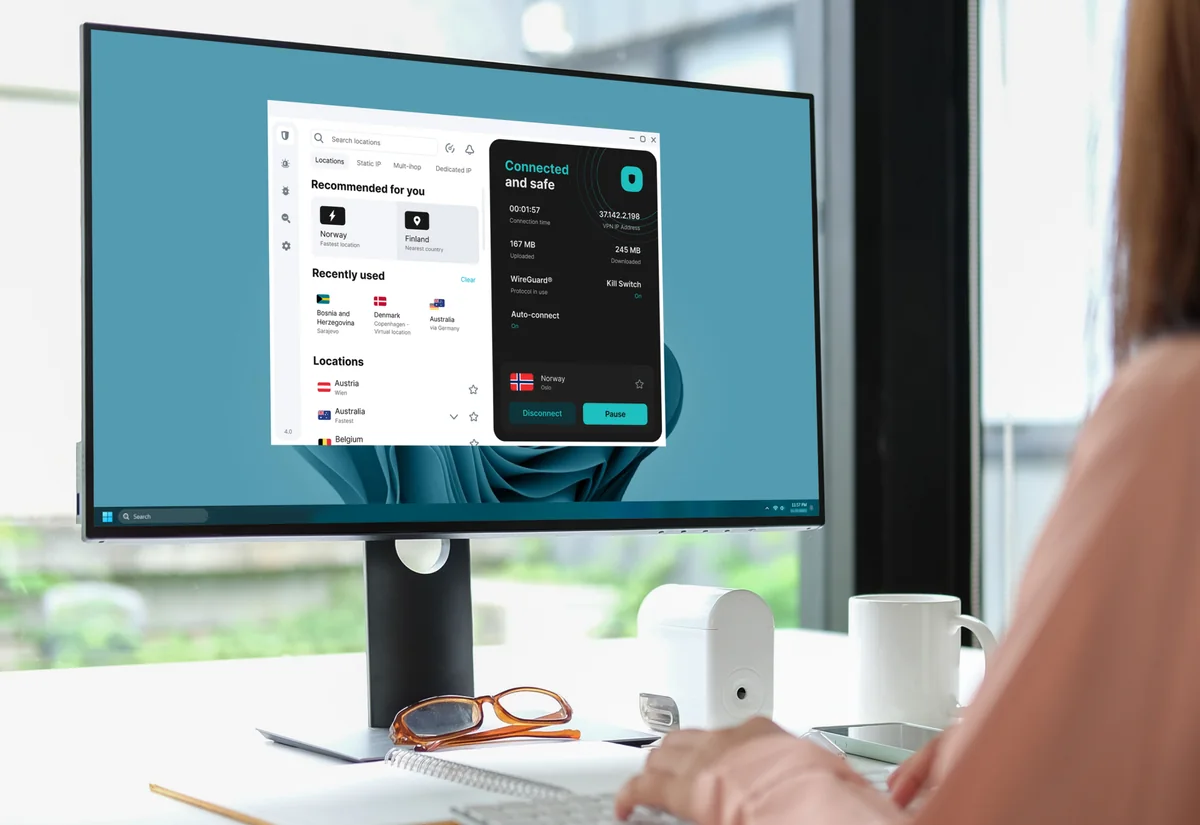
For a buying decision, look for the questions each piece of evidence answers. A pricing screenshot records an offer; an audit examines a specified scope; a supplied interface mockup explains appearance. None substitutes for evaluating the installed client on your own network.
WireGuard, OpenVPN and the Mac-only Dausos option
The protocol guide describes WireGuard and OpenVPN, with availability tied to the application and platform. Begin with the app’s supported automatic or recommended choice, then compare alternatives if the connection is unreliable. Record the protocol when you assess results; changing it between runs makes comparisons harder to interpret.
Dausos is a newer option documented for the macOS App Store version. The Dausos setup guide describes its availability and beta qualification. We have not benchmarked it, so we do not repeat an advertised percentage improvement as our own result or assume that it is available on Windows and phones.
Manual configurations can differ from the native app, including which additional security mechanisms are supported. Do not carry an app-specific capability into a router configuration simply because both use the same familiar protocol name. If a particular protocol is essential, confirm the current version and installation source before subscribing.
Device compatibility: the exceptions matter more than the logo list
| Platform | Practical point to check | What not to assume |
|---|---|---|
| Windows | Native VPN and documented app routing; Antivirus is a separate bundle feature | Every tool is included in Starter |
| macOS | Bypasser supports apps and websites; Big Sur is excluded in its guide | App Store and direct-download builds have identical features |
| Android | Native VPN and app exclusions; Antivirus is available on a supported version | A VPN replaces application security |
| iPhone / iPad | Bypasser supports website exclusions | That this provides per-app split tunneling or Antivirus |
| Linux | Use the supported native package and current distribution requirements | Per-app routing is verified just because a Linux app exists |
| Router / TV | Check the actual model, platform and supported installation route | Every smart TV or ISP router can install the same client |
Bypasser is Surfshark’s name for routing selected traffic outside the VPN. On a desktop, excluding an application may be useful when a service needs the ordinary connection. That application’s traffic then has a different protection boundary. Review the exclusions periodically and remove entries that are no longer needed.
The iOS guide specifically describes websites, not individual-app selection. The Mac guide describes applications and websites and requires the appropriate system permission. This is why an iPhone and a Mac should not receive the same “split tunneling: yes” answer without defining the feature.
Our Surfshark compatibility rows compare native apps, kill switches and per-app splitting. An unverified feature remains unverified rather than being inferred from a marketing overview. The official downloads are the starting point for supported versions and TV or router instructions.
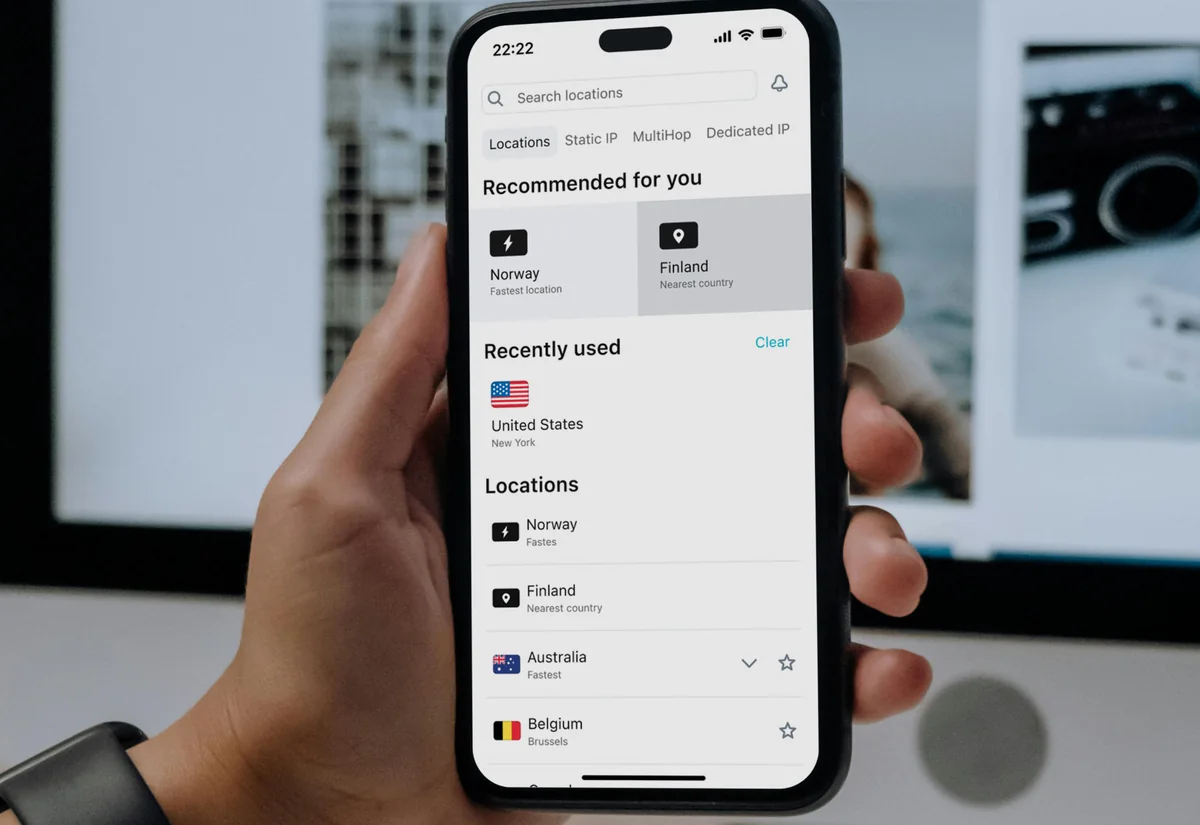
Kill Switch, MultiHop and IP options: configure them deliberately
The Kill Switch instructions describe controls for the main desktop and mobile platforms. A kill switch is intended to limit traffic exposure when the VPN connection fails. Its presence in documentation does not prove every sleep, reboot, Wi-Fi handoff or intentional-disconnect case on your device. We have not run those failure tests for Surfshark.
After installation, check the enabled setting and the behavior that matters to you. Confirm normal browsing, then assess reconnection after a network change. If you exclude traffic using Bypasser, consider those exceptions separately. Our setup and checking guide explains how to record the conditions and distinguish public-IP, DNS and browser observations.
Dynamic MultiHop sends the VPN path through two selected locations; Rotating IP changes the public-facing address within its documented behavior. These options can be useful for a specific routing preference, but extra hops may add latency and address changes can complicate sessions. Start with a normal nearby location and add complexity only when you know why you need it.
Dedicated IP is an optional paid service. A stable address can help with an allowlisted service, while also making repeated activity easier to associate with the same address. A static shared location is not the same thing as a dedicated address assigned to one customer. Check the chosen option, cost and refund terms. Official feature overview.
Speed, streaming and travel: what this review can establish
We have no original Surfshark speed measurements or streaming-access results. Server count and connection capacity are not substitutes for them. A large directory improves the range of possible locations, but it does not establish which route will perform best from your home at the time you use it.
For a useful personal evaluation, record your ordinary connection first, using the same device and network. Compare a nearby VPN location and a distant location relevant to your actual use. Repeat at different times, keep the protocol and destination consistent and note download, upload, latency and interruptions. Judge video-call stability or file-transfer completion as well as a headline download number.
Streaming availability can change by service, account, location and provider blocking. A supplied TV image does not demonstrate that a particular catalog plays. Check the service’s terms and test the content you are entitled to access. Do not buy a long subscription solely because a review promises permanent access to a named streaming library.
For travel, install and check the applications before departure, including account recovery and the devices you will carry. Hotel login portals may need to be completed before the VPN connects. Local network restrictions can still prevent a connection; no mode is a guarantee that every network will work. The speed troubleshooting guide is useful for documented troubleshooting steps, rather than as evidence of a tested performance ranking.
Servers, virtual locations, P2P and the living-room setup
The server directory currently advertises more than 4,500 servers across 100 countries. Check the specific location you need and whether it is virtual. A virtual location can provide an address associated with a country while the physical infrastructure is elsewhere; that distinction matters if physical location is a requirement.
For ordinary nearby browsing, a short route is a sensible starting point. For a location-specific task, choose the relevant endpoint and assess the actual service response. Neither a large server total nor an advertised port capacity establishes the bandwidth available to one household connection.
Surfshark explicitly states that it does not support port forwarding. That matters if an application depends on inbound connections. P2P use and port forwarding are different questions: do not treat a P2P-friendly label as proof of the inbound capability you require. If forwarding is essential, compare the documented platform and plan requirements in our Proton VPN and PIA reviews.
A TV app can be convenient, but verify the actual television operating system and available application. A VPN-client router is another option when compatible, with its own processor, firmware and failure-protection limits. Devices leaving the home network will need their own protection. Choose the simplest setup that covers the devices you actually use.
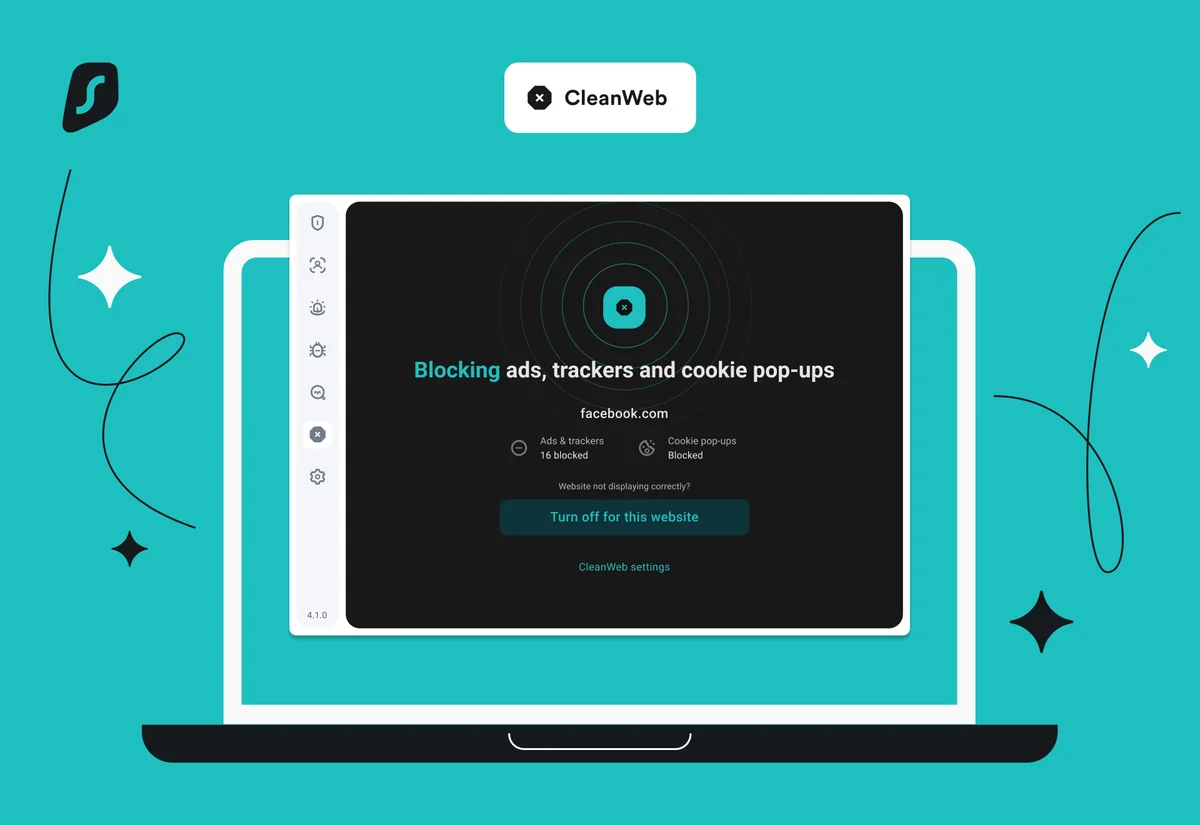
CleanWeb: useful filtering with different app and browser controls
CleanWeb is the filtering feature for ads, trackers and malicious destinations in supported implementations. Browser-extension options also include controls such as cookie-popup handling. The platform feature overview separates app and browser availability; a screenshot of extension controls is not proof that every native app has the same switches.
Filtering can reduce nuisance content, but it can also interfere with a page, sign-in or checkout. If a site stops working, identify the specific control and use a narrow exception when appropriate. Do not disable all protection indefinitely because one page behaves differently.
Keep a separate security routine: update the browser, verify downloads and use strong account authentication. A filter does not inspect every possible threat or replace antivirus. Evaluate whether it improves your normal sites before making it a deciding purchase benefit.
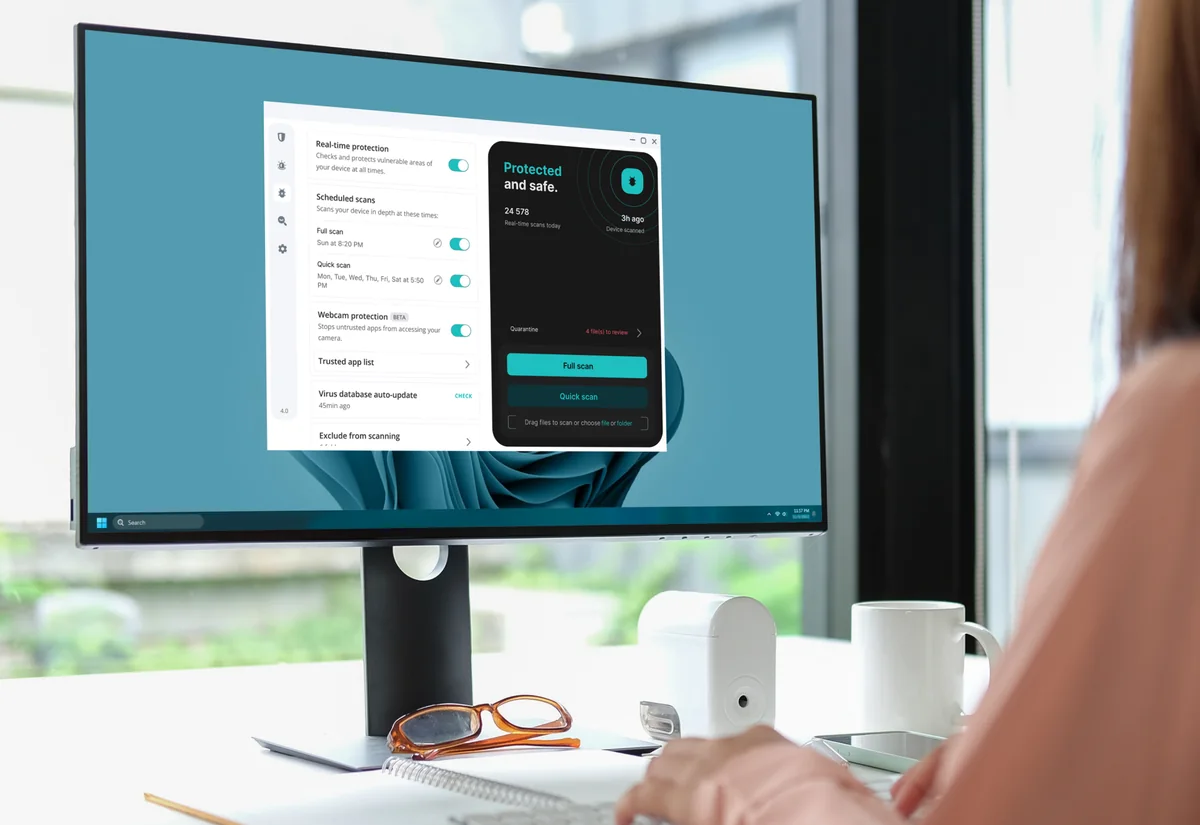
One’s Antivirus: five devices, and a significant Mac choice
Surfshark Antivirus is available with One and One+ for up to five supported Windows, macOS and Android devices. This allowance is separate from unlimited VPN connections. It does not provide the same antivirus product for iOS or Linux.
On a household with twelve VPN devices, first identify which five devices would use Antivirus. Some may already have a suitable security product; others may run an unsupported operating system. That inventory is more informative than dividing the bundle price by twelve and treating the antivirus as universal coverage.
There is a consequential Mac distinction: the Antivirus installation guide requires the direct-download DMG app and excludes the App Store build. Dausos, discussed above, is documented for the App Store build. Do not assume that one Mac installation provides both. Choose the distribution for the features you actually intend to use and check current support before switching builds.
We have not measured malware detection, scan performance, battery use or conflicts with other security software. The supplied interface illustration demonstrates layout. An independent antivirus assessment and a safe evaluation of your device’s compatibility would answer different questions from this subscription review.
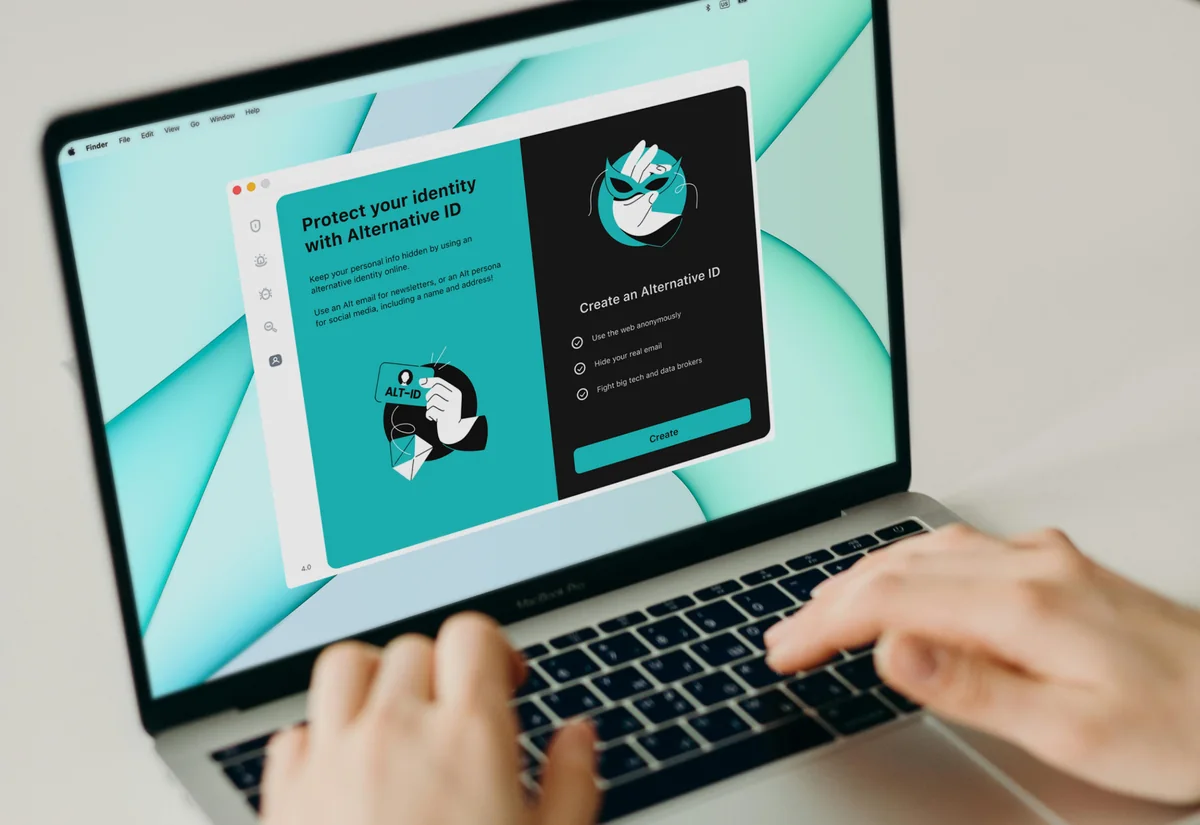
Alternative ID, Alert and Search: three separate jobs
Alternative ID provides an alias identity and email tools for suitable signups. It can reduce the amount of ordinary contact information you hand to a website. Use it where an alias is acceptable; it is not a replacement for required identity verification. Alternative Number is a separately purchased phone service, not something to assume is included with the basic alias feature.
An alias address still needs an owner who can recover the account and receive important messages. Before using one for an important subscription, understand forwarding, access and what happens if the service changes or you stop paying. Keep essential recovery channels under reliable control.
Alert monitors specified details for exposure and notifies you. A notification is a prompt to act, not proof that a breach was prevented or the exposed record removed. Change affected credentials, avoid reused passwords and review the account involved. A quiet dashboard also does not establish that no exposure has happened.
Search is the separate search product, described as ad-free and without activity tracking. It does not make every website you visit through a result adopt the same privacy practices. Try its result relevance against the searches you actually make before assigning the service a large share of the bundle’s value.
One+: check Incogni eligibility before paying for the upgrade
Incogni sends data-removal requests to covered data brokers and follows up through its service. This is a process that uses your authorization and identifying details. It is not a switch that removes every mention of you from the internet, and it does not replace asking the original publisher to correct a public page.
The captured Surfshark offer lists availability for residents of the US, UK, EU, Switzerland and Canada. Confirm that the service covers your situation and read the authorization before providing information. Someone outside the supported regions should not price the bundle as though the removal benefit were assured.
The One+ offer also describes qualifying identity-theft coverage in the US, excluding New York state, with insurer terms, limits and exclusions. Treat eligibility as a separate check. The presence of a coverage headline is not a reason to assume that a particular loss will be paid.
One+ is easiest to justify when you want the removal service and will complete its setup. If you mainly want a VPN, return to Starter. If you want the supported-device antivirus and monitoring but not removal, compare One. The highest tier should have a concrete job in your setup.
Refunds, cancellation and support: take the right action
The refund policy describes a 30-day money-back route for an eligible initial purchase, with exclusions and restrictions. Do not assume that renewals, previously refunded accounts or every optional service qualify. App-store and reseller purchases can follow different refund routes.
Cancel renewal to prevent another term; request a refund to seek money back. The subscription-management instructions describe the account’s subscription and payment controls. Complete the confirmation and retain the result. Access ordinarily continues for the remaining paid period after renewal is disabled.
If you bought through a mobile store, manage the subscription through the appropriate store route. Removing an app does not by itself cancel billing. Check which merchant issued the receipt before deciding where to request help.
The contact guide lists live chat and email support, including 24/7 availability, and says phone support is not offered. We have not measured response times or resolution quality. A useful request names the device, app distribution and version, protocol, network type and the exact symptom. Exclude passwords and unrelated personal information.
Before a long commitment, save the order total, renewal interval and cancellation instructions somewhere you can find them. Review optional services separately and read the current service terms, including acceptable use and any product-specific conditions.
Before committing, follow our Surfshark free trial guide to check eligibility, test the apps and manage the billing deadline.
Surfshark versus the alternatives we cover
| Choose the comparison by your need | Why compare it | What can change the answer |
|---|---|---|
| NordVPN | A paid VPN for up to ten simultaneous connections; we also publish a separate Windows test | Surfshark offers a larger connection allowance; compare exact apps and renewal bills |
| Private Internet Access | Another unlimited-connection candidate with documented desktop configuration options | Check port-forwarding, platform behavior and the much different billing terms |
| Proton VPN | A limited one-connection Free option or the paid Plus feature set | Free, Plus and bundled Surfshark plans answer different needs |
Start with Surfshark and PIA when more than ten concurrent direct VPN connections are essential. With fewer devices, add the other candidates whose features fit. Use the VPN cost calculator to compare the same currency and time horizon, then check the operating-system matrix.
There is no measured overall speed winner in this comparison. Our NordVPN Windows test has its own conditions; those results cannot be transferred to Surfshark or treated as a simultaneous head-to-head experiment.
Our final verdict and what we actually checked
Surfshark is a credible shortlist candidate for many-device households that want a choice of security bundle. Starter is the clean starting point for VPN needs; One deserves attention when its five-device antivirus and monitoring tools will be used. One+ needs a specific case for the eligible removal service.
The main buying traps are the prepaid headline, later annual renewal and platform differences. In particular, website exclusions on iOS are not per-app routing, and Dausos and Antivirus currently point Mac users to different app distributions. Resolve those requirements before comparing small price differences.
For this review we inspected public pricing in all three billing views, the Starter order summary, the renewal table and the linked documentation on September 8, 2026. Our two pricing captures record those public pages. Five other product images were supplied by Surfshark through the site owner and are labeled as illustrations.
We did not purchase or operate a Surfshark account, test the VPN tunnel, measure speed or leaks, check streaming libraries, scan malware or evaluate support. The editorial rating above assesses the disclosed criteria using this evidence. It is not a laboratory security or performance score.
See the current Surfshark offer (affiliate link, opens in a new tab)If the plan still feels unclear, use Find your fit to start from your devices and requirements, or read the household VPN shortlist.
How we reached the rating
| Criterion · 20% each | Score / 5 | Why it received this score |
|---|---|---|
| Value and commitment | 4.0 | The long introductory term is competitively priced within this coverage, but monthly billing is expensive and renewal costs more per service month. |
| VPN features | 4.0 | The documented feature set includes routing exceptions and multihop; iOS is website-only for Bypasser and port forwarding is absent. |
| Privacy evidence | 4.0 | The 2025 Deloitte assurance and published privacy details are useful evidence; temporary connection metadata and assessment scope still matter. |
| Devices and app coverage | 4.5 | Unlimited VPN connections and broad app coverage suit many-device households, with meaningful Mac version and Antivirus device-limit exceptions. |
| Pricing and documentation clarity | 4.0 | Public first bills and standard renewal tables support a real budget; promotions, taxes and regional bundle eligibility require a final checkout check. |
Overall: (4.0 + 4.0 + 4.0 + 4.5 + 4.0) ÷ 5 = 4.1/5, rounded to one decimal. Scores reflect the documented offer and its fit for the reader described in our verdict. A small score difference should not override an essential requirement.
Scale: 1 = substantial documented limitations; 2 = limited fit or evidence; 3 = adequate with material trade-offs; 4 = strong documented fit; 5 = exceptionally complete in this coverage set. Half-points express an intermediate judgment. Missing information lowers confidence or documentation scores, not an invented measurement of service quality. Full rating methodology.
Compare the next decision
Best VPN for multiple devices: match the whole household
Build a VPN shortlist for 1, 5, 7, 10 or more concurrent connections, with platform limits and household costs in view.
Frequently asked questions
Is Surfshark really unlimited for devices?
The published VPN allowance is unlimited simultaneous connections, subject to the service terms. Antivirus is a separate benefit for up to five supported devices. Unlimited VPN connections do not establish equal performance or identical features on every device.
What does Surfshark Starter actually cost?
The September 8, 2026 USD observation is $67.23 for an introductory 27 months, $50.85 for an introductory 15 months, or $16.45 on monthly billing, before applicable tax. The captured prepaid renewal rate is $79 for a year. Offers and later prices can change.
What is the difference between Starter, One and One+?
Starter covers the VPN and Alternative ID. One adds Antivirus, Alert and Search. One+ adds Incogni and eligible US identity-theft coverage. Platform, country and product terms matter; optional Dedicated IP and Alternative Number cost extra.
Does Surfshark Antivirus work on iPhone?
No. The Antivirus product covered here supports Windows, macOS and Android, with a five-device allowance. The iOS VPN app is a different product function.
Does iOS Bypasser exclude individual apps?
The current iOS Bypasser guide describes website exclusions, not selecting individual apps. Our compatibility matrix therefore marks native per-app split tunneling as no for iOS.
Can I use Dausos and Antivirus in the same Mac app?
Do not assume so. The current Dausos guide specifies the macOS App Store version, while the Antivirus guide requires the direct-download DMG version. Check the current builds before choosing an installation route.
Does Surfshark keep any data?
Its policy distinguishes no browsing-history logs from temporary connection information, account details and billing records. Temporary user ID and/or IP and connection timestamps are described as deleted within 15 minutes after a session ends. See the linked policy for the full data categories.
Does Surfshark offer port forwarding?
No. Surfshark explicitly says port forwarding is not supported. P2P support should not be read as providing inbound port forwarding.
Does canceling automatically refund my payment?
No. Disabling renewal and requesting an eligible refund are different actions. Check the first-purchase refund window, exclusions and the merchant or store that processed the payment.
Did HostingRanker test Surfshark speed or streaming?
No. This review is based on public offer and documentation checks, original public-page captures and clearly labeled supplier illustrations. We have not measured Surfshark speed, leaks, streaming, antivirus detection or support.
Is Surfshark better than NordVPN or PIA?
That depends on the requirement. Surfshark and PIA are candidates above ten simultaneous VPN connections. With fewer devices, compare the exact platform features, subscription costs and evidence. This review does not establish a measured speed winner.
Sources & editorial notes
Public USD pricing, the Starter order summary, renewal tables and product documentation were checked on September 8, 2026. Vendor-supplied illustrations are labeled separately. We have not used a paid Surfshark account or measured its speed, leaks, streaming or support.
- Surfshark: USD plan cards and billing choices
- Surfshark: Standard USD renewal prices and currency policy
- Surfshark: Public Starter order summary
- Surfshark: Starter, One and One+ inclusions
- Surfshark: Server directory and virtual-location guidance
- Surfshark: Privacy policy and temporary connection data
- Surfshark: Trust center and security assessments
- Surfshark: 2025 Deloitte no-logs assurance announcement
- Surfshark: Surfshark and Nord Security merger announcement
- Surfshark: Feature availability by platform
- Surfshark: Official downloads
- Surfshark: iOS Bypasser: website exclusions only
- Surfshark: macOS Bypasser and version requirements
- Surfshark: Kill Switch setup by operating system
- Surfshark: VPN protocols and implementation limits
- Surfshark: Dausos: macOS App Store availability and beta caveat
- Surfshark: Antivirus platforms and five-device allowance
- Surfshark: macOS Antivirus requires the direct DMG app
- Surfshark: Alternative ID and optional phone number
- Surfshark: Alert data-leak monitoring
- Surfshark: Search product description
- Surfshark: Incogni data-removal process
- Surfshark: One+ identity-theft coverage eligibility
- Surfshark: Port forwarding is not supported
- Surfshark: Refund eligibility and exclusions
- Surfshark: Subscription management and cancellation
- Surfshark: Service and fair-use terms
- Surfshark: Live chat and email support; no phone support
- Surfshark: Factors affecting VPN speed
- surfshark.com · official plans and billing evidence
- surfshark.com · official plans and billing evidence
This guide combines published documentation with our editorial analysis. We have not measured provider performance or conducted an independent security audit. Read our methodology. Report a correction.

About the author
Pavel Stich
Pavel is a co-founder of HostingRanker with a focus on SEO and copywriting for the technology and financial sectors. His interest in early-stage businesses informs his practical approach to software: understand the problem, examine the trade-offs and choose tools that support a sustainable business.